Overview
iOS Status Bar & Control Center Theme (authored by Jiuhen) is a visual customization module that brings Apple’s clean, cohesive status bar aesthetics to rooted Android smartphones.
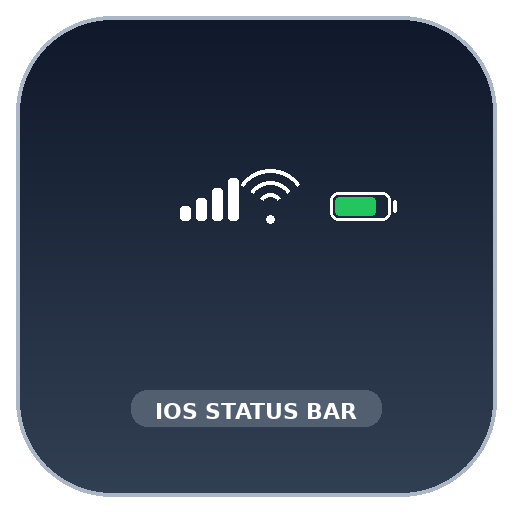
Android’s stock status bar often feels cluttered with varying icon weights, dual-row signal meters, and disconnected percentage numbers. This module overlays authentic iOS status indicators—including the iconic 4-tier vertical signal bars, rounded Wi-Fi arcs, and pill-shaped battery meter with internal numeric percentage.
Technical Architecture & How It Works
The module maps vector drawables and layout overrides via Runtime Resource Overlays:
1. Resource Overrides
The overlay package targets com.android.systemui:
stat_sys_signal_5g.xml,stat_sys_signal_4g.xml: Replaced with 4 progressive vertical bars.stat_sys_wifi_signal_4.xml: Replaced with smooth concentric circular segments.stat_sys_battery.xml: Replaced with rounded rectangular pill displaying charging lightning bolt and inner percentage level.
2. Status Bar Height & Padding
The module refines layout padding (status_bar_padding_start, status_bar_padding_end) to align perfectly with punch-hole display cutouts and rounded corner radii.
Troubleshooting & Verification
- Refreshing SystemUI: After installation and reboot, if the icons appear unchanged, restart the SystemUI process:
su -c "killall com.android.systemui" - Dual SIM Display: On devices with dual SIM cards inserted, the module neatly stacks primary and secondary carrier indicators into a space-efficient single row.
Frequently Asked Questions
Can this theme cause a bootloop?
No. Because it uses Android's native Runtime Resource Overlay (RRO) framework, if an asset fails to load, Android simply falls back to the default stock system icons.
How can I adjust the battery percentage font size?
The battery percentage size is tied to system font scaling under Settings -> Display & Brightness -> Font size.